Description
Hollywood LUTs Blade Runner
The files offered are compatible and can be used by a variety of software including Adobe’s Premiere Pro, After Effects, Photoshop, Final Cut, and generally all software that supports .3dl and .cube files.
Use them for videos and/or photographs. Color grading, color correction, video, and photo editing.
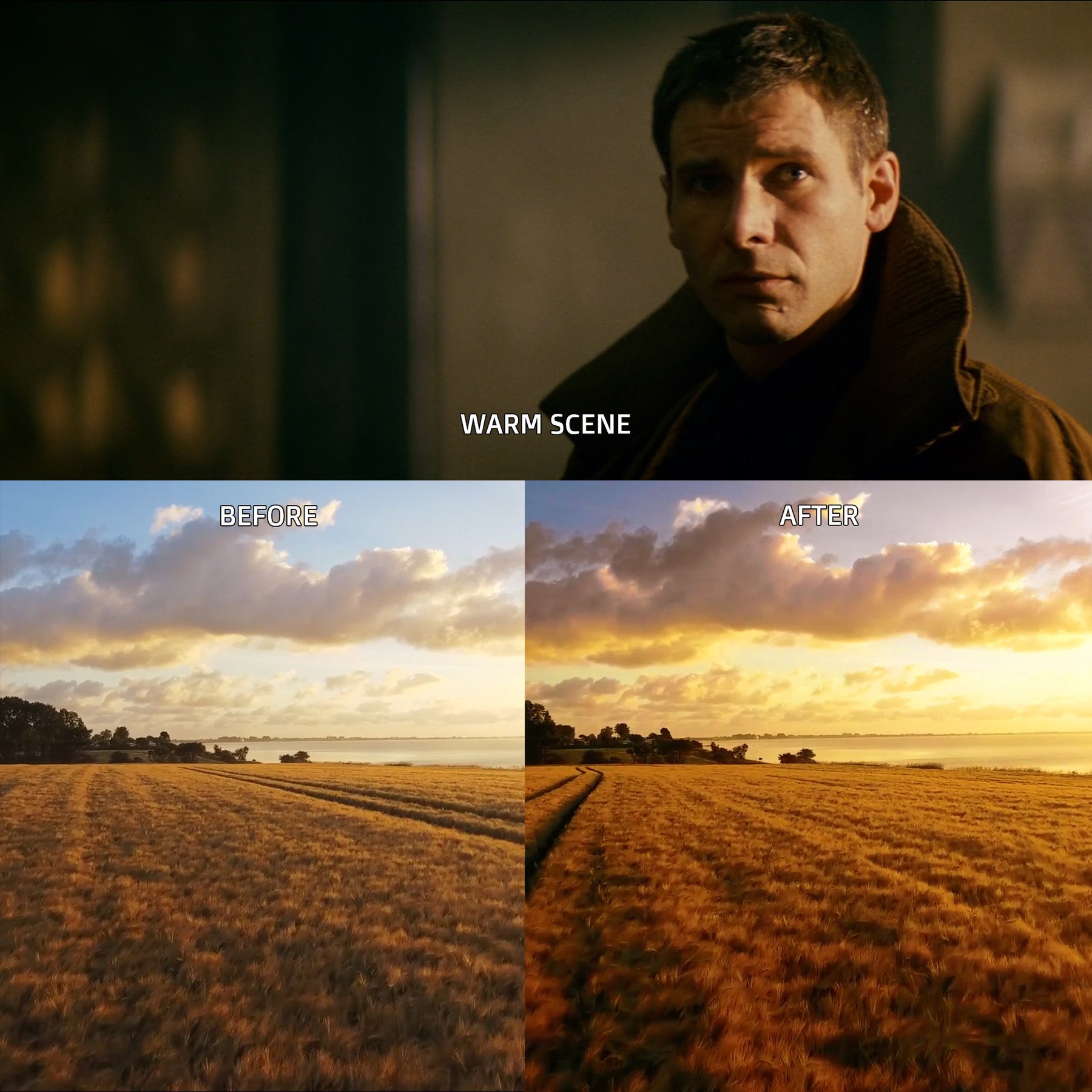
Included are 3 .3dl and 3.cube files as well as some before/after example images.
You can find a generic tutorial from another Hollywood LUTs Blade Runner product (The Mandalorian LUTs pack ) ,on how to use this product with Adobe Premiere Pro here: YouTube Video
Also a Before / After demonstration of the product here: YouTube Video


Product Overview:
- Files Included:
- 3 .3dl files
- 3 .cube files
- Compatibility:
- Compatible with a variety of software including Adobe Premiere Pro, After Effects, Photoshop, Final Cut, and others that support .3dl and .cube formats.
Uses:
- Color Grading: Achieve cinematic looks inspired by the “Blade Runner” aesthetic.
- Color Correction: Adjust color imbalances and enhance the overall look of your videos and photographs.
- Video Editing: Apply these LUTs to enhance the mood and style of your projects.
- Photo Editing: Use them to create dramatic effects and unique color palettes in your photography.
Resources:
- Tutorial: A generic tutorial for using LUTs with Adobe Premiere Pro is available in a YouTube video linked to another product (The Mandalorian LUTs pack).
- Before/After Demonstration: A YouTube video showcasing the impact of the LUTs on visuals can help users understand their effectiveness.
Recommendations:
- Installation: Follow the instructions in the tutorial video to install and apply the LUTs in your preferred software.
- Experimentation: Don’t hesitate to experiment with the intensity of the LUTs to find the perfect balance for your projects.
- Combination: Consider combining these LUTs with other effects and adjustments to create a more customized look.
These LUTs can add a professional touch to your videos and photographs, evoking the distinctive style of “Blade Runner.” Enjoy your editing!
FOCUS KEYWORDS: cinematic luts, # Cinematic Tones LUTs, # Cinematic Video Effects, # Color Correction LUTs, # Color Enhancement LUTs, # Color Grading for Beginners, # color grading presets, # creative luts, davinci resolve luts, # Digital Cinema LUTs, # Documentary LUTs, # drone luts, # Final Cut Pro X LUTs, # DaVinci Resolve luts, # Adobe Premiere Pro LUTs, # photoshop luts, # Dynamic Range LUTs, # Film Emulation LUTs, # Film Noir LUTs, # Film Style LUTs, # Filmmaking LUTs, # final cut pro luts, # Free LUTs, # Fujifilm LUTs, # High Contrast LUTs, # Hollywood Look LUTs, # Indie Film LUTs, # kodak luts, # Luminar LUTs, # LUT Pack Bundles, # LUTs for YouTubers,Cinematic LUTs, # movie luts, # Natural LUTs, # photoshop luts, # Post Production LUTs, # professional color grading, # rec709 luts, # slog3 luts, # Sony LUTs, # Teal and Orange LUTs, # travel luts, # Urban LUTs, # video editing luts, # Videography LUTs, # Vintage LUTs, # wedding luts